
Cadence
Do what you came for, then get back to life

Hey 👋 If you're new here - my name is Martin and it is my firm belief that we shouldn’t just accept that smartphones come loaded with consequences for our mental health, attention, and engagement with the world around us. We can, and should, demand better from the technology we interact with every day.
For well over a decade, I’ve been fascinated by the relationships we form with our devices. I see people use their phones in all sorts of unhealthy ways. I talk to people and I know they want to change. There are countless apps, books, articles, tips and techniques available, each one promising a solution.
Some people, the most dedicated or perhaps just the most lucky, manage to break through and create a healthy, intentional relationship with their phone.
But the rest of us, me included? Somehow, we’re stuck. Something isn’t working.
For the last three months I’ve been determined to work out what’s going on, and fix it.
I built an ultra-minimal browser, called Midpoint. I experimented with AI-assisted tools for daily planning and intention-setting. I designed and prototyped a voice-first AI personal assistant for your email. Each one has helped hone my understanding of the problem, and I’ve started to form some strong hypotheses about why the tools currently available haven’t caught on.
With all that in mind, for the last few weeks I’ve been doing two things. I’ve been interviewing as many people as I can about their phone use: do they want to change? Why? What have they tried? What succeeded, what failed? What would their ideal relationship with their phone look like?
That’s very much ongoing, so while I let that percolate I built something for myself, precisely contoured to the shape of the problem as I experience it myself. It’s helped me, in a small but real way, and now I’m ready to share it in a spirit of experimentation, curiosity and exploration.
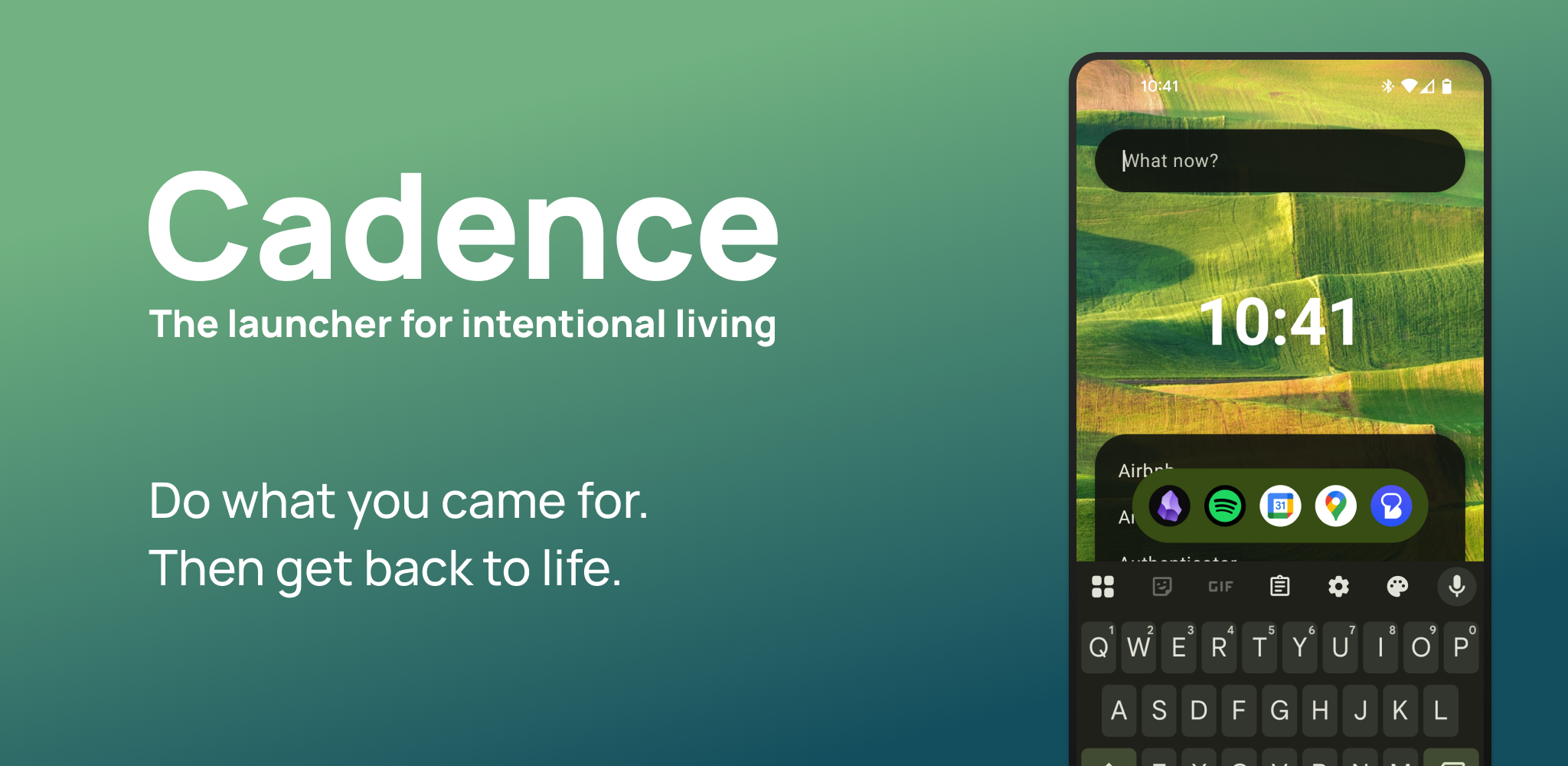
It’s an alternative home screen for Android phones, that I call Cadence.
Why?
First, I wanted to try building something positive, not punitive. So many apps that attempt to improve your relationship with your phone do so by being annoying, deliberately frustrating, punitive. They add hoops to jump through in order to access the distracting apps, or block access when you've hit your limits. I've done this too: Midpoint Browser is entirely built around these exact principles! But apps like this just don't... feel good. They make your phone deliberately worse, and the benefits are all downstream of that. Instead, I wanted to try building something that can help, not by being annoying and making it harder to do 'bad stuff' but by making it easier and more enjoyable to use your phone in a positive way.
Second, it solves a small but genuine problem for me. The way my brain works is mysterious and unknowable sometimes; one way this manifests itself is that ideas and solutions to problems I've been working on pop into my head at the most unexpected moments, only to vanish again moments later. This is frustrating when I stumble upon the perfect way to phrase something: exact phrasings are fragile and, once lost, hard to rediscover. But it's especially infuriating when I'm with our daughter; the sequence of taps and swipes to make a new note in my chosen app, Obsidian, isn't exactly onerous but it pulls my attention away from where it should be. I want to be able to capture these thoughts and get off my phone again as quickly as humanly possible. You might not share this exact experience, but I do believe that the general problem of regularly opening your phone to do one thing and getting derailed by the clutter that inhabits our phones is far more universal.
Finally, it's a foundation for future experiments. Your home screen is right at the heart of how you interact with your phone. Once an alternative launcher has earned its place there, it's well-positioned to help people develop better habits in other ways. It can let you experiment with different ways to curb or change your phone use without having to search out, trust and pay for other apps. It can help you set goals, understand your motivations and identify the habits you most want to change - and then adapt itself accordingly.
Enough background.
What does it actually do?
Introducing Cadence
The core of Cadence is built around a simple premise: making it easier and quicker to do a few key tasks that I often unlock my phone for. The home screen is the perfect place to tackle this: it’s the launchpad for everything you do on your phone, and can set the tone and direction for everything that follows.
Two things came to mind for me personally. First, I often have a thought that I want to jot down. But the best ideas are fragile, especially if the nuance of the wording is important, and each step you have to go through before writing it down is an opportunity for me to forget it. In Obsidian, for example, I'd have to find the app, hit the menu button, create a new note (or open the daily note) and tap in the text area for the note.
This is not a lot of steps, to be clear, but at each moment it's possible to see something that might dislodge the thought. Seeing your email app might remind you that you need to reply to someone. Noticing the weather forecast might prompt you to wonder if you need to get your coat. When you open the notes app, you might see a reminder you left for yourself, or an exciting idea you had earlier.
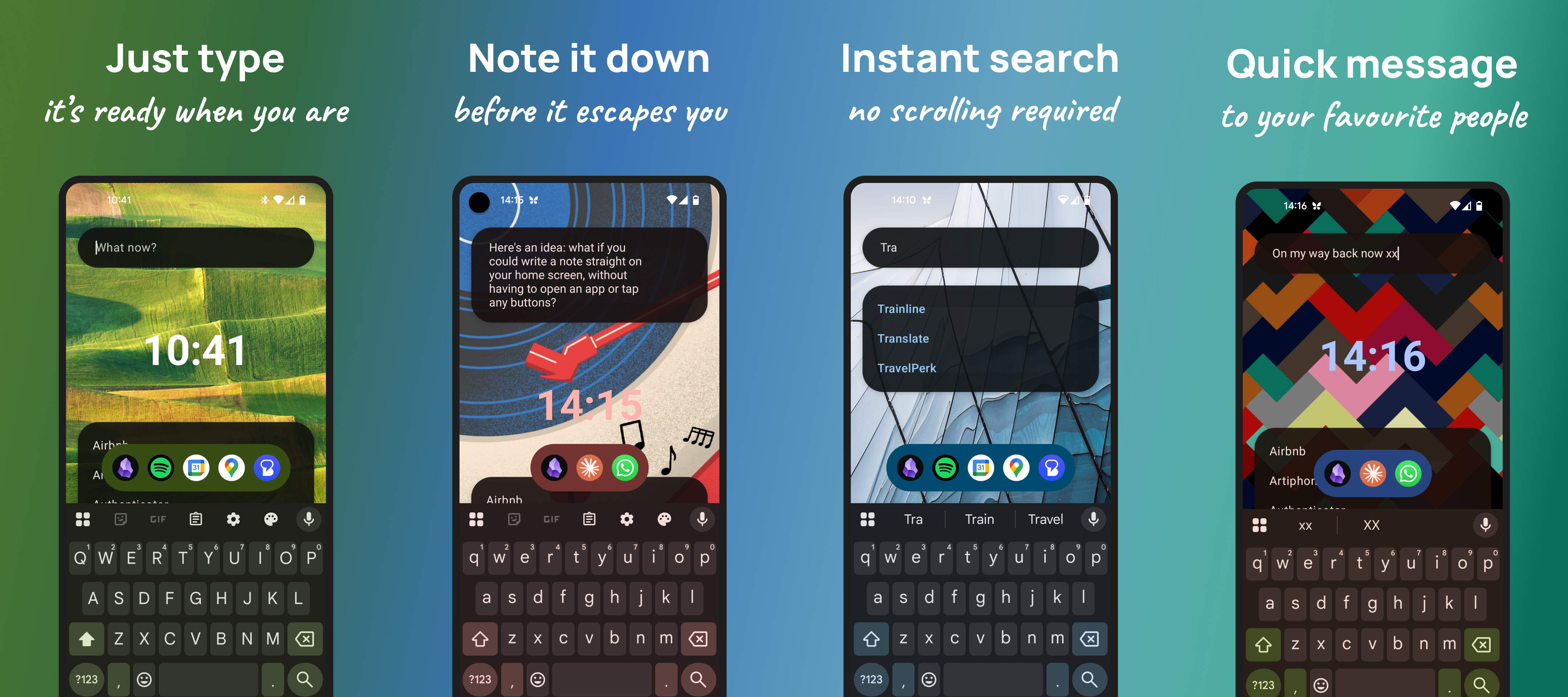
In Cadence, on the other hand, as soon as you unlock your phone (or go to the home screen) the keyboard is already open and you can just start typing. Right away, you can get the thought out of your head. Only then do you hit the Obsidian icon, which takes care of opening the app, creating the note and filling out the content.
Similarly, I often want to send a quick message to my wife. "I'm on my way back." "Can you pick up some milk please?" You know, boring, mundane stuff. This is more about speed and friction than any risk that I might forget the message. You're on the move, your daughter is wriggling, you're in a hurry.
So the same process applies. Unlock your phone, type the message, hit the shortcut and you'll be sent to the right conversation, with the message pre-filled ready for you to press send. Quick, simple, efficient.
Unlock your phone, do what you came for, get back to life.
Get early access
Cadence is in closed testing right now, which is a necessary step right before making it generally available on the Google Play Store. This means I need to grant people access on an individual basis. So, for now, drop me an email at martin@midpointbrowser.com. To add you I’ll need to know the email address you use for Google Play.
Feedback from early adopters will be essential to make this a success. If it is to be a foundation for a different way to think about digital wellbeing, it needs to be flexible enough to be used by anyone. This means, if you give it a go and ultimately go back to whatever you were using before, I’d love to hear why. I’d also love to hear: what quick shortcuts do you need? Google search? ChatGPT? Music? Maps? Something else, completely unexpected?
And to the future…
There are two key areas for development that I’m keen to dive into.
First, it needs to do its core job of just… being a top-notch launcher. If I set aside all goals about digital wellbeing and positive habits, the path is clear: I can only positively impact people’s lives and habits if they use the tools I build, and if the basic functionality just doesn’t work for them, they won’t want to use it. This probably means just enough customisation to make it feel natural and approachable, whatever you used before, without overwhelming people with complexity.
Second, it should actively work with you to help you understand and articulate your goals around screen time, and have functionality available that can be enabled in response. Possible examples include asking you to state your intention before opening certain kinds of apps, setting yourself time limits or creating rewards for certain behaviours.
It’s going to be an exciting journey and I hope you’ll join me!

I love your thinking. This is wildly exciting! I had that very same problem: trying to note an idea in obsidian, but by the time it's loaded and created new note, I'd forgot the thought. Countless times. My antidote was voicenotes.com/audiopen and a custom mage obsidian plug-in. Love the launcher idea.